


Description
Product Overview
The Microsoft 365 Essentials Outlook Guide is a 355‑page Kindle eBook that delivers clear, actionable instruction on using Microsoft Outlook for personal and professional productivity. Written in plain English, the guide covers everything from basic email composition to advanced calendar coordination, task management, and integration with other Microsoft 365 apps. Enhanced typesetting ensures a comfortable reading experience on any device, and unlimited simultaneous device usage lets you study on a phone, tablet, or Kindle without restrictions. ![[Product front view showing all components]](https://www.workspaceco.store/wp-content/uploads/2026/05/5dfe7b0846e549b4a3e3f16e11daf479.jpg)
Usage
Ideal for busy professionals, remote workers, students, and anyone who relies on email and scheduling, this guide fits naturally into daily workflows. Whether you’re drafting client communications, organizing project timelines, or syncing meetings across time zones, the book provides practical examples you can apply immediately. The Kindle format allows you to highlight, annotate, and search key sections while on the go, making it a handy reference during meetings or while commuting.
Why Choose Us
Our Outlook guide stands out because it is part of the official Microsoft 365 Essentials series, ensuring content aligns with the latest product updates. The eBook is optimized for Kindle’s screen reader and page‑flip features, offering an accessible experience for all users. With a 5‑star rating from verified readers, the guide has proven its value in real‑world settings, and our dedicated support team is ready to answer any post‑purchase questions.
Key Features
- Step‑by‑step tutorials that turn complex Outlook functions into simple daily tasks.
- Practical examples for email etiquette, inbox zero, and effective follow‑ups.
- Clear guidance on calendar sharing, meeting invites, and time‑zone management.
- Integration tips for Teams, OneNote, and other Microsoft 365 apps to streamline workflows.
- Responsive customer support with quick answers to any content‑related queries.
FAQ
Is this guide suitable for beginners?
Yes, the book starts with basic concepts and gradually introduces more advanced features, making it perfect for users of any skill level.
Can I use the guide on multiple devices at once?
Absolutely. The Kindle format allows unlimited simultaneous device usage, so you can read on a phone, tablet, or Kindle without any restrictions.
Does the guide cover the latest Outlook updates?
The content aligns with the July 2024 release of Outlook and reflects the most recent features available in Microsoft 365.
Is the eBook accessible for screen‑reader users?
Yes, the file supports screen readers and includes enhanced typesetting for a smooth reading experience.
What if I have questions after purchasing?
Our support team is available to help with any clarification or additional tips you may need.




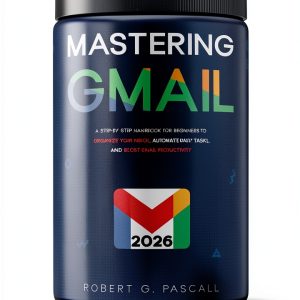

 Google Productivity Toolkit Book 3 Email Guide for Professionals
  E-mail Kindle eBook by GAM Publishing Endeavors – 169‑Page Digital
  Kids Joke Book by Amazon - Illustrated Kindle eBook for Ages 4-6
  Kindle Brunch & Tea Cooking Recipes 3rd Edition
  Quick and Easy Main Dishes Cookbook by Amazon Kindle
  Race Point Publishing Tea Time Cookbook Revised Edition for Kids
  Ms. Fruit Brunch & Tea Cooking E-Book for Kindle
  Chronicle Books Brunch & Tea Cookbook Kindle 121‑Page Recipe Guide
Reviews
There are no reviews yet.