


Description
Product Overview
Designed specifically for older adults, this Kindle eBook walks readers through every aspect of email use. The guide spans 103 pages and features enhanced typesetting for easy reading, screen‑reader compatibility, and a compact 3.7 MB file size for quick download. As part of the “Tech for Seniors” series, it combines clear language with practical examples, ensuring users can confidently send, receive, and organize email on any device.
![[Product front view showing all components]](https://www.workspaceco.store/wp-content/uploads/2026/05/a8e385c1cb554927a116c9ee4393a986.jpg)
Usage
Ideal for seniors who are new to digital communication or looking to refresh their skills, this eBook can be read on Kindle devices, tablets, or smartphones. Whether at home, in a community center, or during a workshop, the step‑by‑step lessons fit into short learning sessions, making it perfect for independent study or guided instruction.
Why Choose Us
Our guide stands out because it was created by experts in senior education, focusing on accessibility and real‑world relevance. The content is tested with older readers to ensure clarity, and the Kindle format guarantees instant updates and easy navigation. We also offer responsive customer support for any technical questions.
Key Features
- Simple, jargon‑free language that anyone can understand
- Large‑print layout and enhanced typesetting for comfortable reading
- Screen‑reader support ensures accessibility for visually impaired users
- Practical examples and screenshots for real‑world email tasks
- Dedicated after‑sales support to help with any Kindle or content questions
FAQ
Do I need a Kindle device to read this guide?
No, the eBook works on any Kindle app for iOS, Android, or desktop, as well as on Kindle e‑readers.
Is the guide suitable for complete beginners?
Yes, it starts with the basics of creating an email account and progresses to more advanced tasks like attaching files and managing contacts.
Can I print any part of the book?
The Kindle format does not support direct printing, but you can use the Kindle app’s export feature to create PDFs of selected pages for personal use.
What if I have trouble with the screen‑reader features?
Our support team can walk you through enabling and using screen‑reader compatibility on your specific device.
Is there an updated version for newer Kindle models?
The eBook is automatically updated through the Kindle store, ensuring compatibility with the latest devices and software.







 Windows Made Easy: A Comprehensive Guide for Microsoft Outlook Users
  Heavy Duty T-Hinges 8" Stainless Steel by Hardware Essentials
  Amazon Kindle E-reader with Accessibility Features, English, 122 Pages
  Cookie Recipes Kindle eBook by Amazon Brunch & Tea Cooking Guide
  Kindle eBook Guide to Mac Computer Hardware – 195 Pages, 11.1 MB File
  Kids Joke Book Arcturus Kindle eBook with 219 Pages of Riddles and Fun
  Quick and Easy Main Dishes Cookbook by Amazon Kindle
 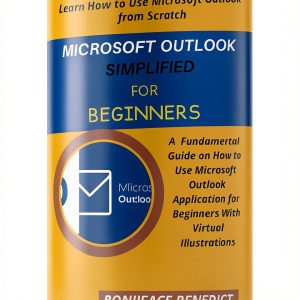 Microsoft Outlook Guide for Unlimited Device Usage
 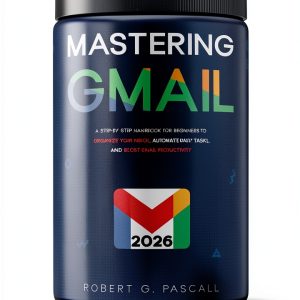 Robert G. Pascall's Kindle Book - Email Administration
  French Press Books Kindle Edition Email Encryption Guide 12-18 Age
  Business Communication Skills Book by Alignment Group Ltd
  Kindle Brunch & Tea Cooking Recipes 3rd Edition
  Amazon Kindle Store E-mail Guide for Microsoft OS
Reviews
There are no reviews yet.